


Best Guitar Pedals for Home Recording in Australia
Posted by Editorial Team on 8th Nov 2026
Last Updated: November 6, 2026
Quick Summary
The best guitar pedals for home recording in Australia are a drive pedal for grit, a time-based effect like delay or reverb for space, and a trusted tuner, with an amp simulator pedal worth considering for recording direct. Judge each pedal on recording criteria such as output level, noise floor and cabinet simulation, not stage performance. Audition candidates through your own audio interface before buying.
- Judge pedals on recording criteria such as output level, noise floor and cabinet simulation, not stage performance.
- Set interface input gain so peaks sit around -12 dBFS to -6 dBFS rather than touching 0 dBFS.
- Direct-recorded distortion often sounds fizzy without cabinet simulation or an impulse response (IR) loader.
- An isolated power supply is usually a better upgrade than another pedal for reducing hum.
- Place reverb and delay last in the chain to keep the space consistent across the drive and modulation.
Table of Contents
- Which Pedals Matter Most for Home Recording
- Best Guitar Pedals for Recording Direct
- Overdrive and Distortion for a Clean Recorded Sound
- Delay and Reverb for Space Without Mud
- Multi-Effects Pedals Versus Single Stompboxes
- Amp Simulator Pedals for Guitar Recording
- Guitar Pedal Order for Recording
- Choosing Your Home Recording Pedals Next
- Frequently Asked Questions
Which Pedals Matter Most for Home Recording
Home recording is a different job from playing live. On stage you need a pedalboard that survives a gig, but in a bedroom studio the goal is a clean, repeatable tone that sits well in a mix. Most guitarists only need a handful of pedals for that, and choosing them well saves money.
Start with the three categories that do the most work on a recording: a drive pedal for grit, a time-based effect for space, and a tuner you trust, which together make up the best guitar pedals for home recording in Australia. Everything else is optional.
Best Guitar Pedals for Recording Direct
Recording direct means going from your guitar into an audio interface, either straight in, through a pedal's output, or via a DI box, rather than putting a microphone in front of an amplifier. It is the default workflow in a bedroom or apartment studio because it keeps noise down, lets you re-amp or re-process later, and removes room acoustics from the equation. The trade-off is that everything you get wrong at the input, gain staging, impedance, noise, is baked into the take.
When you are auditioning pedals for direct recording, judge them on recording criteria rather than stage criteria:
- Output level and headroom. A pedal that pushes a hot signal into a consumer interface input will clip the converter before you have touched the gain knob. Look for pedals with a level control that can be pulled back, and set interface input gain so peaks sit around -12 dBFS to -6 dBFS rather than touching 0 dBFS.
- Cabinet simulation or speaker-emulated output. If you are recording a drive or amp-in-a-box pedal direct, a built-in cab sim (or an impulse response loader downstream) stops the sound being fizzy and harsh on playback. Without it, direct distorted guitar often sounds like a wasp in a jar.
- Noise floor. High-gain pedals amplify hum and hiss. Test each candidate with the guitar volume rolled off and listen for background noise before you commit.
- Bypass quality. True bypass versus buffered bypass matters when you chain several pedals into a long cable run to the interface; a good buffer preserves high-end that long cable runs roll off.
- Power and isolation. A noisy, daisy-chained power supply is one of the most common causes of hum in home recordings. An isolated power supply is usually a better upgrade than another pedal.
Watch out: a pedal that sounds great into a loud amp can sound thin and fizzy when recorded direct, because the amp and speaker are no longer colouring the signal, always audition a candidate through your own interface and headphones before you buy.
For buyers in Robina and across the Gold Coast, the practical move is to shortlist two or three candidates online, then check local stock and ask about a demo through an interface rather than an amp. Pricing depends on the model and current availability, so check Muzic Man's website for current prices or a quote.
Overdrive and Distortion for a Clean Recorded Sound
Overdrive and distortion add harmonics that help a guitar cut through a mix, and choosing the right drive unit is central to finding the best guitar pedals for home recording in Australia. The trick for recording is restraint. Too much gain turns into fizz and mud on playback, and it hides the playing you are trying to capture.
Set your drive pedal to lift the amp or interface input gently, then dial the gain back until the note still sounds clear on its own. A compact overdrive like the SONICAKE listing above is a practical starting point for this kind of gentle lift.
Delay and Reverb for Space Without Mud
Delay and reverb place the guitar in a room without you having to record in one. A short slap delay or a subtle reverb usually sounds more natural on a recording than a long, heavy wash.
Keep the wet level low and let the dry signal lead. If you want modulation alongside these spaces, a chorus pedal can add movement without muddying the mix. If the effect makes the part hard to hear in the mix, pull the level back before you change the sound.
Multi-Effects Pedals Versus Single Stompboxes
Multi-effects units hold dozens of effects in one box, which is convenient for home recording because you can change tones without rewiring. Single stompboxes give you dedicated controls and often a more immediate feel, and they are easier to replace one at a time.
If you are starting out, a few single pedals can be a better investment. If you want maximum flexibility in one unit, a multi-effects pedal is the better route.
Amp Simulator Pedals for Guitar Recording
An amp simulator pedal, often called an amp-in-a-box or an impulse response (IR) pedal, replaces the amplifier and speaker in your signal chain, so you can record direct and still get a convincing guitar tone. In a home studio this is often the single most useful pedal you can buy, because it lets you track at night, in an apartment, or in a room with bad acoustics without waking anyone or fighting the room.
There are two broad types, and the distinction matters for recording:
- Analogue amp-in-a-box pedals emulate the preamp and tone stack of a known amplifier using analogue circuitry. They tend to feel immediate and respond to your guitar's volume knob like a real amp, but they usually need a separate cabinet simulation (a cab-sim pedal or an IR loader in your DAW) to sound finished when recorded direct.
- Digital amp and cab simulator pedals include both amp modelling and speaker/cabinet emulation, often with impulse responses (IRs) and sometimes a headphone output and USB audio interface built in. These are the most recording-ready option because you can go guitar → pedal → interface (or straight into a computer via USB) and hear a finished tone in your headphones.
Key recording features to check before you buy:
- Cabinet simulation and IR loading. Without cab sim, a direct amp-sim signal sounds harsh. Look for built-in cab sim, the ability to load third-party IRs, and a way to bypass cab sim if you later want to re-amp through a real cabinet.
- Output routing. A balanced XLR output, a 1/4-inch output, and a headphone output give you flexibility: XLR to your interface, headphone out for silent practice, and a parallel dry output if you want to re-amp later.
- Latency and monitoring. If the pedal includes USB audio, check the round-trip latency and whether it offers direct monitoring. High latency makes tracking feel disconnected.
- Headroom and level matching. Amp sims can output a hot signal; make sure you can trim the output so you are not clipping your interface input.
- Preset and MIDI control. For recording multiple takes and parts, the ability to save presets and switch them via MIDI saves a lot of re-dialling.
Pedal versus plugin versus multi-effects. This is the decision most home recordists actually face, and it is where general buying guides tend to stop short:
- A dedicated amp-sim pedal gives you a hardware front end that works without a computer, is easy to re-sell, and keeps your tone consistent between sessions. It costs more per tone than software and takes up board space.
- A plugin is usually the cheapest route to many amp and cab tones, integrates directly with your DAW, and is easy to automate. The trade-offs are computer dependency, plugin latency, and the need for a decent audio interface and CPU headroom.
- A multi-effects unit with amp modelling sits in between: one box covers amps, cabs, effects and often an audio interface, which is convenient for a small home setup, but the amp models may be less detailed than a dedicated unit and the interface can add menu-diving.
A common pattern among home recordists is to use an amp-sim pedal as the front end for tracking and a plugin for re-amping or tone shaping in the mix, which gives you the feel of hardware with the flexibility of software.
Watch out: if you monitor through your computer while tracking, the combined latency of interface plus plugin can push past the point where playing feels responsive, check your buffer size and, where possible, use the pedal's own direct monitoring or headphone output.
For Gold Coast and Robina buyers, confirm whether the pedal you are considering includes cab sim and IR loading before you order, and ask the retailer whether you can audition it through an audio interface rather than an amp. Prices and stock change, so verify the current AUD price and warranty terms on the product page.
Guitar Pedal Order for Recording
The usual signal chain runs from the guitar into any drive pedals, then modulation, then time-based effects such as delay and reverb, and finally into the interface or amplifier. A footswitch such as the Hotone Ampero Switch lets you change amp or patch settings during a take without touching the pedalboard. Putting reverb and delay last keeps the space consistent across the drive and modulation you have dialled in.
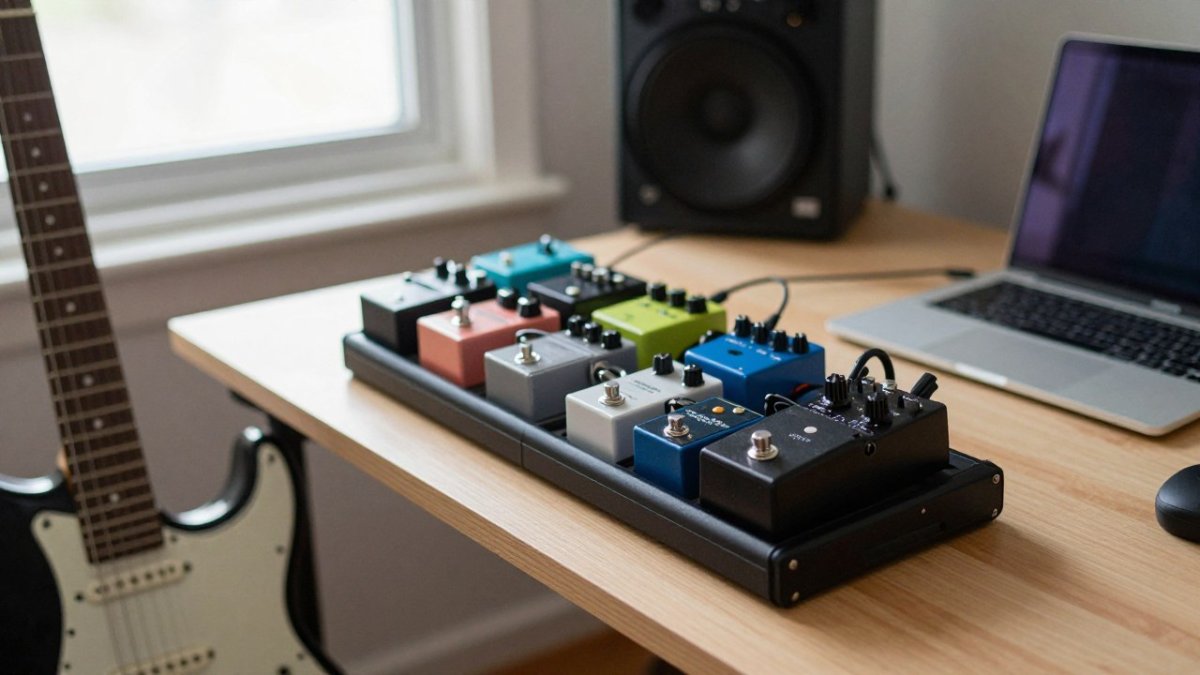
Watch out: a noisy pedal early in the chain gets amplified by every pedal after it, so check noise levels with the guitar on its own before adding effects.
Choosing Your Home Recording Pedals Next
Start with one drive pedal, one time-based effect and a reliable power supply, then add pieces as your recordings show a clear need. A studio workstation can help organise and power your pedals as the setup grows. Browse our website to see the range and confirm current prices before you order.
Frequently Asked Questions
What guitar pedals do I need for home recording?
Most home recordists start with one overdrive or distortion pedal, one delay and one reverb, because these cover the sounds most songs need. A tuner is also worth having, since a flat signal recorded direct is hard to fix later. Add a modulation pedal such as a chorus only once the basics are working. Pedals are available individually, and prices vary by model, so check current listings before you budget.
Can you record guitar straight into an audio interface with pedals?
Yes. Plug your guitar into the pedal chain, then run the chain's output into the instrument input of your audio interface. Many players set the interface's input gain so the signal peaks around the middle of the meter, which leaves headroom and avoids clipping. Direct recording puts the pedal sound on the track itself, so choose overdrive and gain settings you can live with before you commit to a take.
Are multi-effects pedals good for home recording?
Multi-effects units are useful for home recording because one box can hold overdrive, delay, reverb, modulation and amp modelling, which saves space and cable. The trade-off is that a single unit often has fewer knobs per effect, so fine adjustment can be slower. Many multi-effects units also include a USB audio interface, which can simplify a small home setup. Check whether the model offers the effects you actually use before paying for extras.
Do I need an amp simulator pedal for home recording?
You do not need one, but an amp simulator is helpful if you record direct and do not have a amplifier or want to avoid mic-ing a cabinet. Amp simulators approximate the sound of an amp and speaker cabinet, so they let you record at any volume, including late at night. If you already own a good amp and can mic it, the real sound may suit your style better. Compare the simulated tones by ear on your own recordings.